How to Move Your Staked ASTR to Another dApp
1. What is Move function?
The Move function in Astar dApp Staking lets you transfer your already staked ASTR tokens from one dApp to another.
In practice, a move is an unstake → stake sequence, so it can affect when your updated stake becomes reward-eligible.
- You can use Move during both the Voting and Build & Earn subperiods.
- If you Move during Build & Earn, your tokens are considered unstaked for that era (see below), so you won't earn staking rewards for that specific era.
- The moved stake becomes effective from the next era (same as a normal stake update).
- Moving stake away from unregistered dApps is allowed.
When you perform a move, it involves an unstake followed by a stake call. That means your tokens are considered unstaked during that era. As a result, you won't earn staking rewards for that specific era.
2. Why Move matters for you
Move empowers you to switch your staking support from one dApp to another without waiting for an unlocking period. It's useful for reallocating support as the ecosystem changes.
2.1. When can you use Move?
| Timeframe | Moves allowed | Reward note |
|---|---|---|
| Voting subperiod | Available | No staking rewards are generated during Voting |
| Build & Earn | Available | A move causes a 1-era reward gap for the moved amount |
2.2. Before you Move: What to know
- You may need to claim pending rewards before making staking changes (depending on the interface and runtime rules).
- Keep some ASTR available for gas.
- Plan around the reward gap: a Move during Build & Earn means no staking rewards for that era for the moved amount.
2.3 Conclusion
Move gives you flexibility to adjust your staking allocations without unlocking funds, but it's best used intentionally due to the 1-era reward gap during Build & Earn.
3. Step-by-step: How to use Move
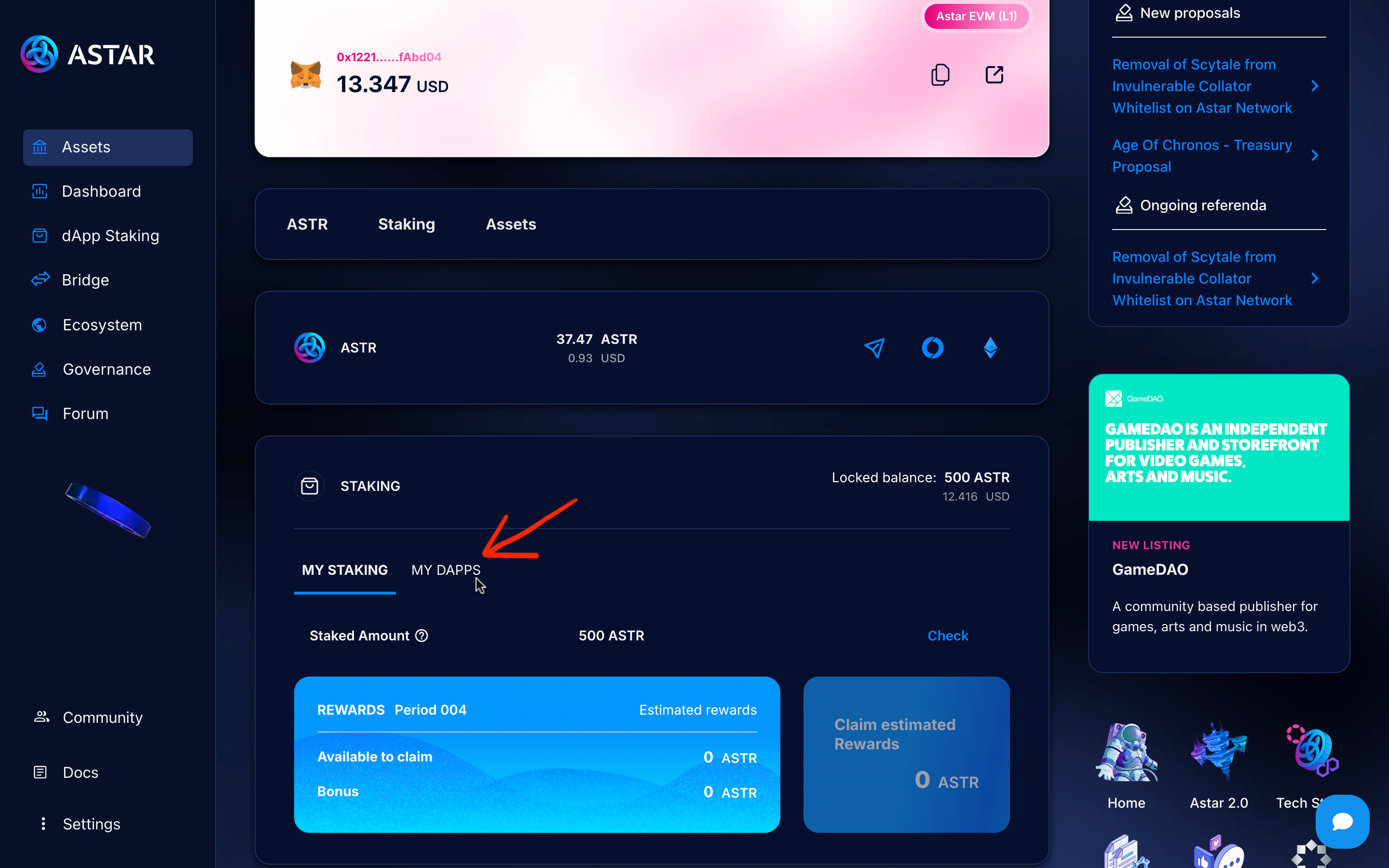
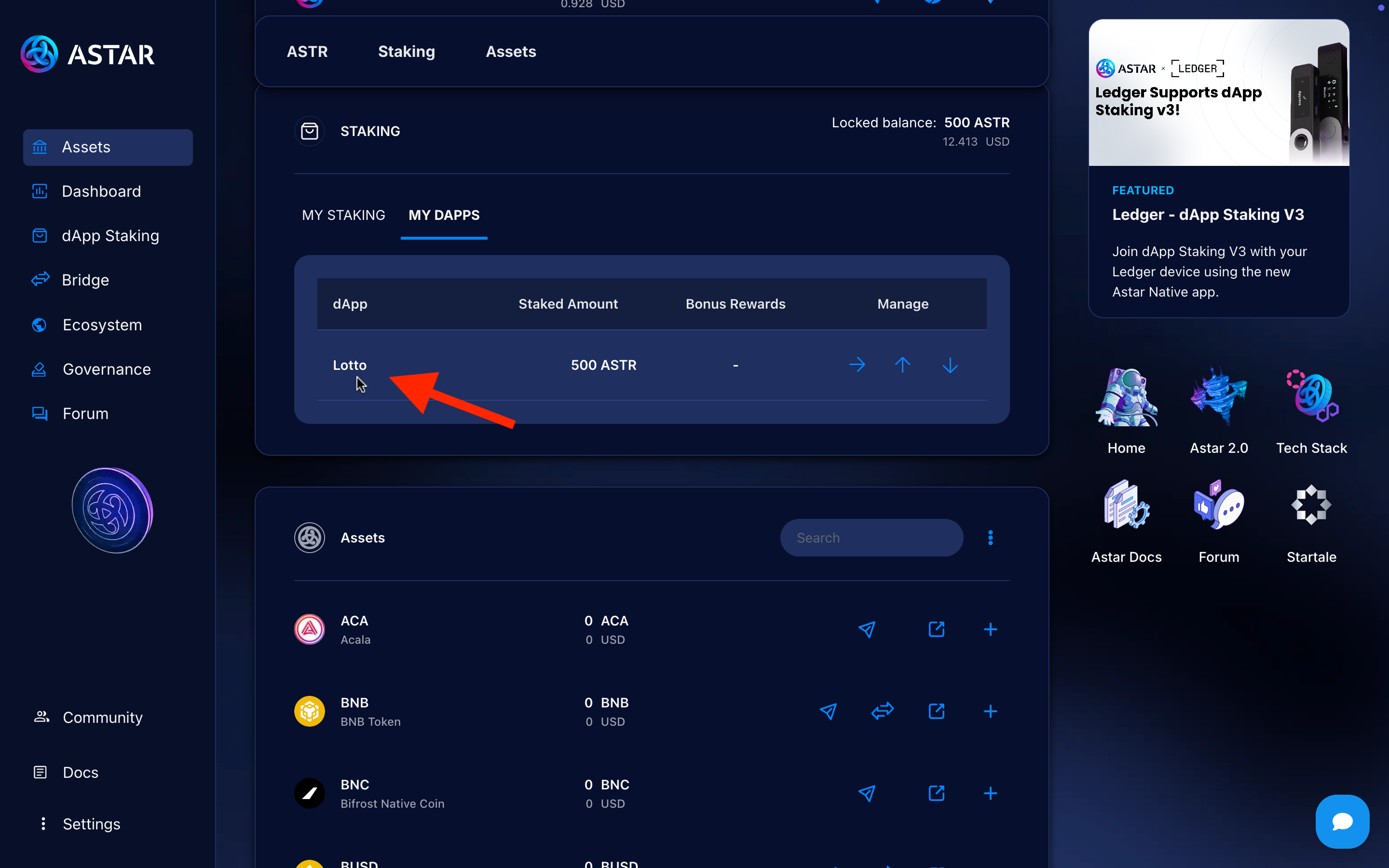
✅ Step 1: Open My Staking dashboard
Navigate to Assets → My dApps in the Astar Portal.
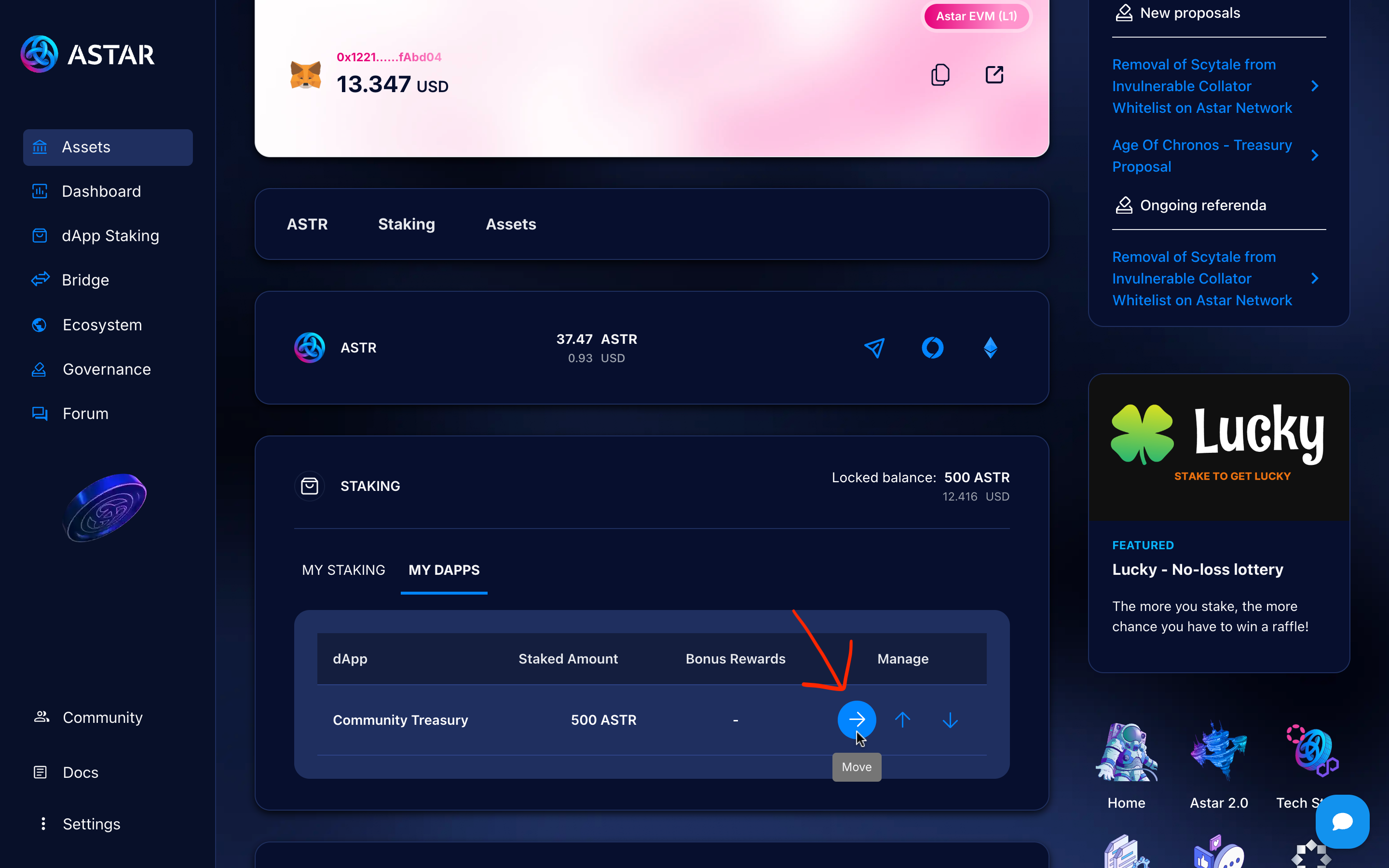
✅ Step 2: Click the Move (→) icon
Next to the stake you want to shift.
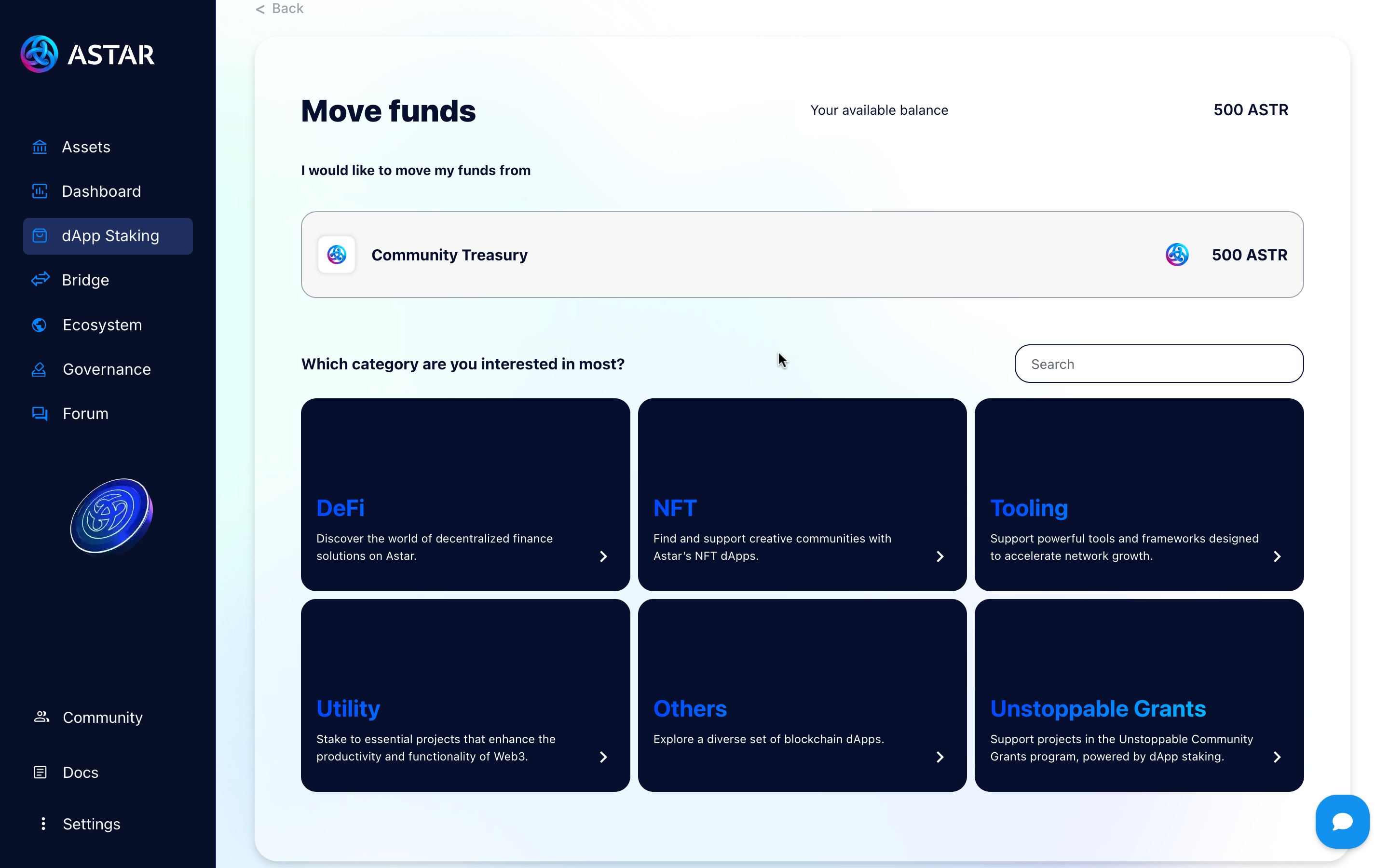
✅ Step 3: Select target dApp(s) and amount
- You will see your available balance and a list of dApps.
- Click on a card and select the dApp you want to stake.
- Enter the amount you want to shift.
- Click on next button.
- Confirm and sign the transaction.
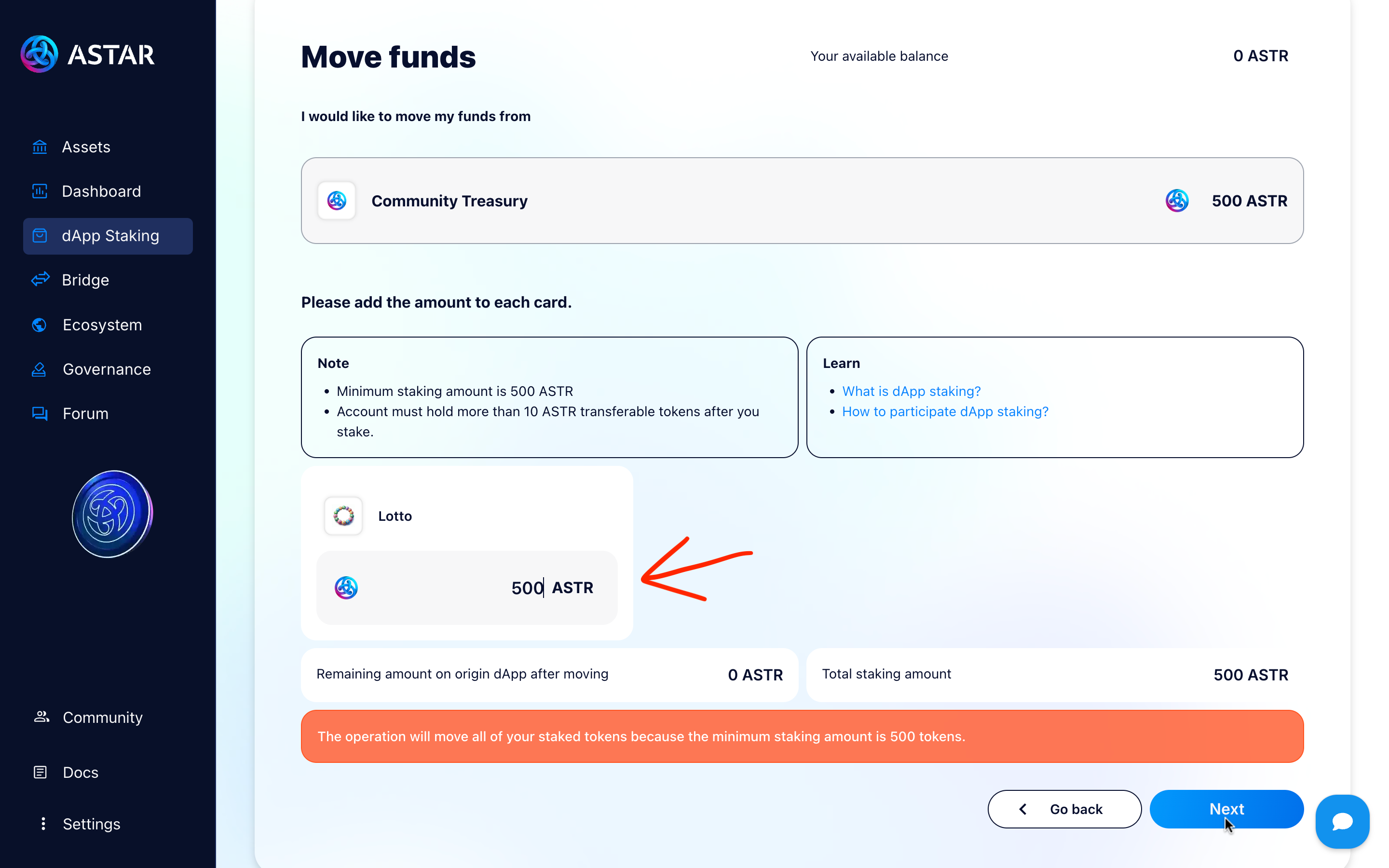
✅ Step 4: Next → Confirm transaction
After Confirm and sign the transaction, the move happens onchain.
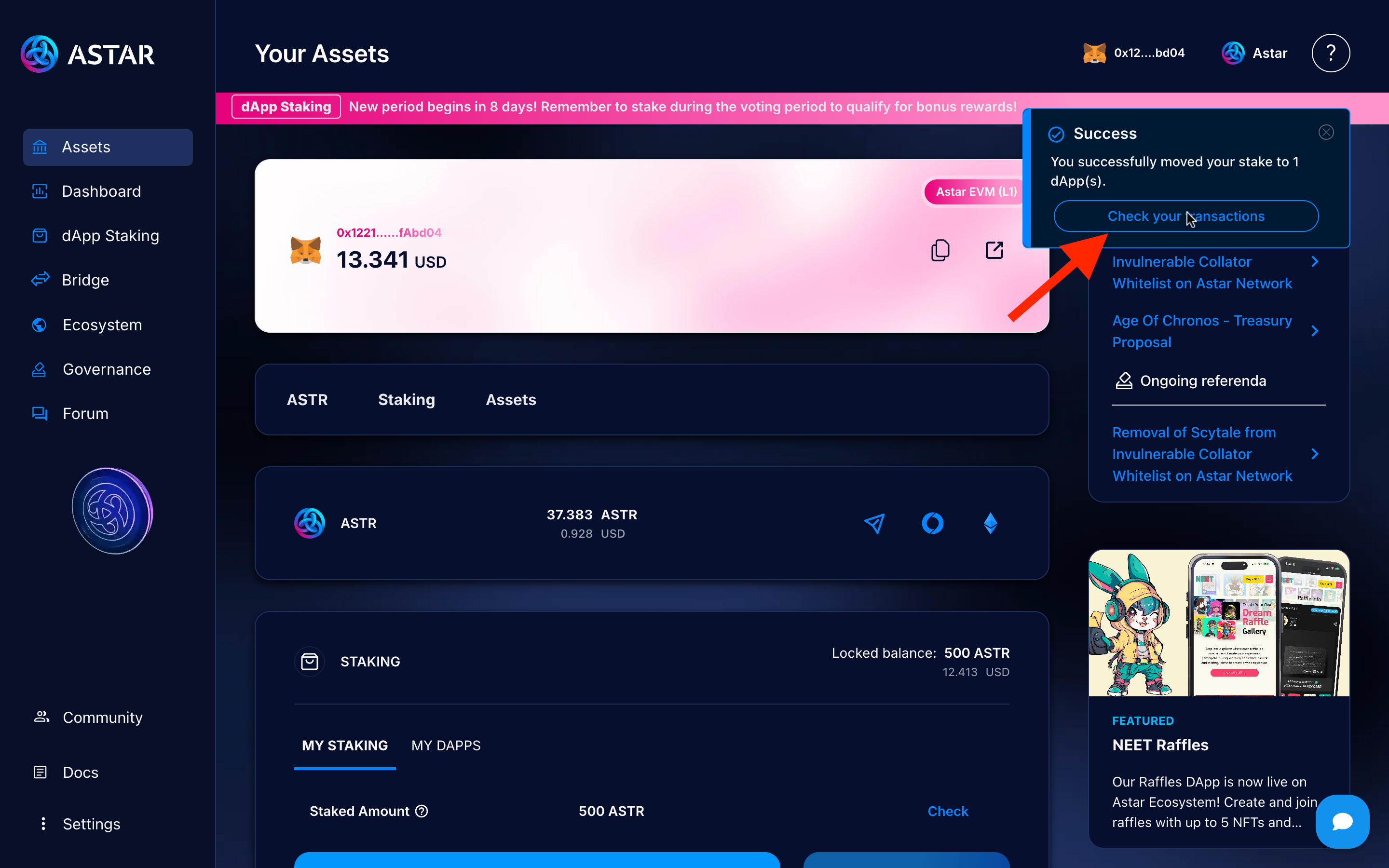
✅ Step 5: Check success & ledger
After confirmation:
- Original stake is unstaked
- New stake shows up under target dApp
- Your staking positions update accordingly
4. Real-use examples for clarity
-
Move during Build & Earn (reward gap): You Move 500 ASTR from App A to App B during Build & Earn
- Your stake appears under App B
- ⚠️ You won't earn staking rewards for that moved amount in the era where the Move was made
-
Move during Voting: You rearrange stakes during Voting
- Voting does not generate staking rewards
- Your new allocations are set up for the upcoming Build & Earn
-
Move away from an unregistered dApp:
- Moving stake away from an unregistered dApp is allowed
- You can reallocate to an active registered dApp
4.1 Pro tips
- Avoid frequent moves mid-epoch: each Move during Build & Earn creates a reward gap for that era.
- Claim regularly to reduce the chance of being blocked by pending rewards.
- Keep extra ASTR for gas so you can claim and manage stakes when needed.
5. Video tutorial
To wrap up, here’s a video tutorial that will guide you through the step-by-step process of use move on Astar dApp Staking. Feel free to ask your questions in our official Astar Discord.